
Home » Download

Download the BDTK1 Mobile App for Faster Play on the Go
Fast, secure access to BDTK1 on your phone in just a few minutes
Move from tap to play in less time with the BDTK1 app download. The app is built for quick loads on local networks, lighter data use, and steady performance during live cricket. You get a clean layout, fast bet entry, and smooth play on JILI slots—without juggling browser tabs.
Keep trust front and center. Install only from the BDTK1 Official Website so your file source is verified. Logins are encrypted, device checks help block unapproved access, and verified profile details support name-match checks for withdrawals.
Why the BDTK1 mobile app fits how BD players use their phones daily
The app is designed for quick, reliable access on everyday mobile data. It keeps you closer to live action, helps you log in faster, and cuts steps between you and your bets.
Faster launches and light data use on everyday mobile networks
The app opens quickly, caches what matters, and trims extra images. That saves data and time, especially during peak match moments.
Smarter login with fingerprint or Face ID for quick access
Enable biometrics on supported devices to skip passwords. One touch gets you to the home screen without typing on small keyboards.
Live cricket odds, score updates, and instant market refresh
See odds move in real time during toss, powerplays, and death overs. Quick market refresh keeps you ready before prices change.
JILI slots and top games optimized for swipe-first play
Open JILI slots in a tap. The app keeps buttons within thumb reach and supports fast session recovery if your data drops.
Trusted account checks and support built for local players
Profile verification is simple and designed for mobile. In-app help responds quickly, and alerts keep you informed about key account events.
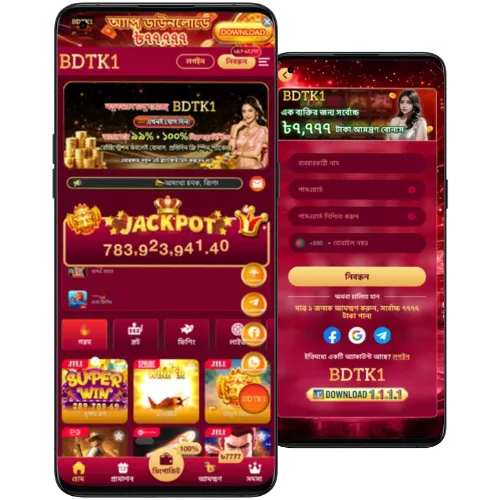
Step-by-step guide to get the BDTK1 app safely on your device
- Open your mobile browser and go to the official BDTK1 site from your address bar.
- Choose your platform: Android for APK install, or iOS to add the web app to your Home Screen.
- On Android: Tap the APK download button. If your phone asks, allow your browser or Files app to install unknown apps (you can switch it back off after install).
- Open the APK, tap Install, then Open when finished. If prompted, allow essential permissions only.
- On iOS (Safari): Tap the Share icon, then Add to Home Screen to install the web app. Follow any on-screen prompts.
- Launch the app, log in with your account, or create a new one to get started.
- Enable notifications to receive live cricket updates, results, and account alerts.
Mobile features that keep you logged in and playing with less effort
- Fast boots and lighter data use, tuned for mobile networks.
- Fingerprint or Face ID login on supported devices.
- Live cricket odds updates with quick refresh during key moments.
- Cleaner menu and bigger touch targets for small screens.
- Instant betslip access with recent picks saved.
- JILI slots open faster with steady in-game performance.
- Custom notifications for match starts, results, and price moves.
- In-app support and helpful tips without leaving the screen.
- Responsible-play tools: limits, timeouts, and session reminders.
Promotions you can follow easier when you use the mobile app
Enable alerts to get early notice on app-first reload offers and limited-time odds boosts. Stay updated on tournament specials and match-day price boosts.
Watch for cricket series campaigns, deposit matches, and free spin drops on JILI—sent straight to your phone so you never miss the window.
New to the platform? Check the latest BDTK1 bonus details in the promos area after you log in, then track progress from your profile.
FAQs about installing and using the BDTK1 mobile app
Is the app available for both Android and iOS?
Yes. Android users install the APK. iOS users add the web app to the Home Screen via Safari for fast access and alerts.
Where can I start the BDTK1 app download safely?
Begin from the official site link in your browser. Avoid third-party stores or re-hosted files to keep your device and account secure.
Why do I see a security prompt when installing the APK?
Android blocks unknown sources by default. Temporarily allow your browser or Files app to install, complete the setup, then switch it off again.
How do I get updates if I used the APK?
Open the app and follow the in-app update prompt when available, or visit the site to grab the latest build. Updates install over your current version.
What if the app won’t open or keeps closing?
Restart your phone, clear the app cache, and check your connection. If issues continue, reinstall the latest version and contact in-app support.
Ready to get started on mobile with faster access and updates
Install the app today to lock in quick logins, live cricket odds, and easy access to JILI slots. Keep match alerts and account updates one tap away on your phone.
Create your account in minutes with BDTK1 Register, then open the app to get moving. Turn on notifications, set your limits, and start playing smarter on mobile.